Data analysis · Dashboard · Operations · Automation
Octave: Digital Marketing Internship
Octave makes software that helps organizations design, build, operate, and protect critical infrastructure. I joined its marketing team as a remote Digital Marketing Intern in May 2026 and stayed on into the fall. These are six highlights from the summer, from analytics and marketing operations to automation and content.
What I did
- Built two Power BI dashboards that measured whether email drove registrations for Octave's Austin Live OnTour event, and which email traits performed best
- Found and redirected hundreds of links in emails, templates, the blog, and social posts before Octave lost access to its old asset platform
- Built Python tools that turn a partner spreadsheet into finished tier certificates, 146 in all
- Rebranded and expanded the Octave Product Starter Guide, a plain-English guide to the company's products
- Researched partner companies and wrote the physical security partner descriptions on Octave's website
- Cleaned and standardized event, LinkedIn, lead, and email data for reporting
Results
- 71 of 157 registrants from the SIG business (45%) had clicked a campaign email, tying email to almost half of those registrationsPower BI dashboard built from the campaign's email and registration data, shown below
- Hundreds of links redirected to current Octave assets before the old platform shut off, so readers reach the right content instead of a 404 page
- 146 partner certificates generated automatically across two partner programsRun logs saved in the two notebooks, May and June 2026
- My manager shares the finished Product Starter Guide with other departments to help colleagues learn the products
Octave makes software for public safety, physical security, and geospatial work. It was formed in 2026 from businesses that were part of Hexagon, which meant new branding, new systems, and plenty of loose ends for the marketing team. I joined that team in May 2026, working remotely, and each project below had its own problem and result.
Did our emails fill the Austin event?
Business analytics · Power BI
Octave held its Live OnTour event in Austin for employees, customers, and partners. Marketing had sent thousands of emails to promote it and wanted to know: did those emails actually bring people to register? I focused on SIG, the former Hexagon business behind Octave’s geospatial, public safety, and physical security products. I was given a spreadsheet of the historical email and registration data; the analysis and both dashboards were mine.
Only about 1% of the people emailed registered from an email, which on its own looks small. Turned around, though, the data told a stronger story: of everyone from SIG who registered, 45% had clicked one of our emails. Clicking an email went hand in hand with registering, and the campaign was tied to almost half of the event’s SIG registrations.
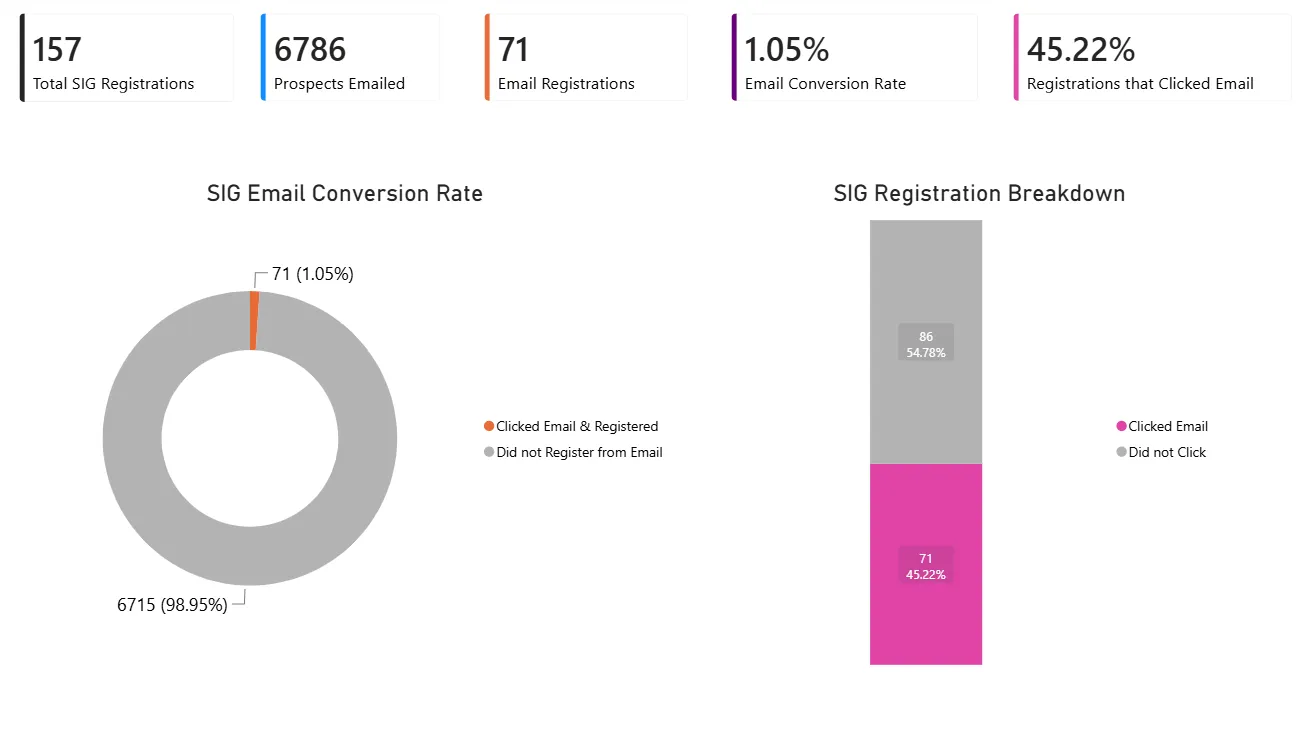
Dashboard 1: did email drive registrations? The pink bar is the share of registrants who had clicked an email.
The second dashboard goes a level deeper: what made an email work? Across about 27,000 emails, it reports open rate, unique click-through rate, and click-to-open rate, and a toggle switches the view between business unit, email name, subject line length, AM or PM send time, and day of the week. In the day-of-week view, Tuesday and Friday sends had the highest open and click rates. They were also much smaller sends than Wednesday and Thursday, so that pattern is worth testing with larger sends before changing the schedule.
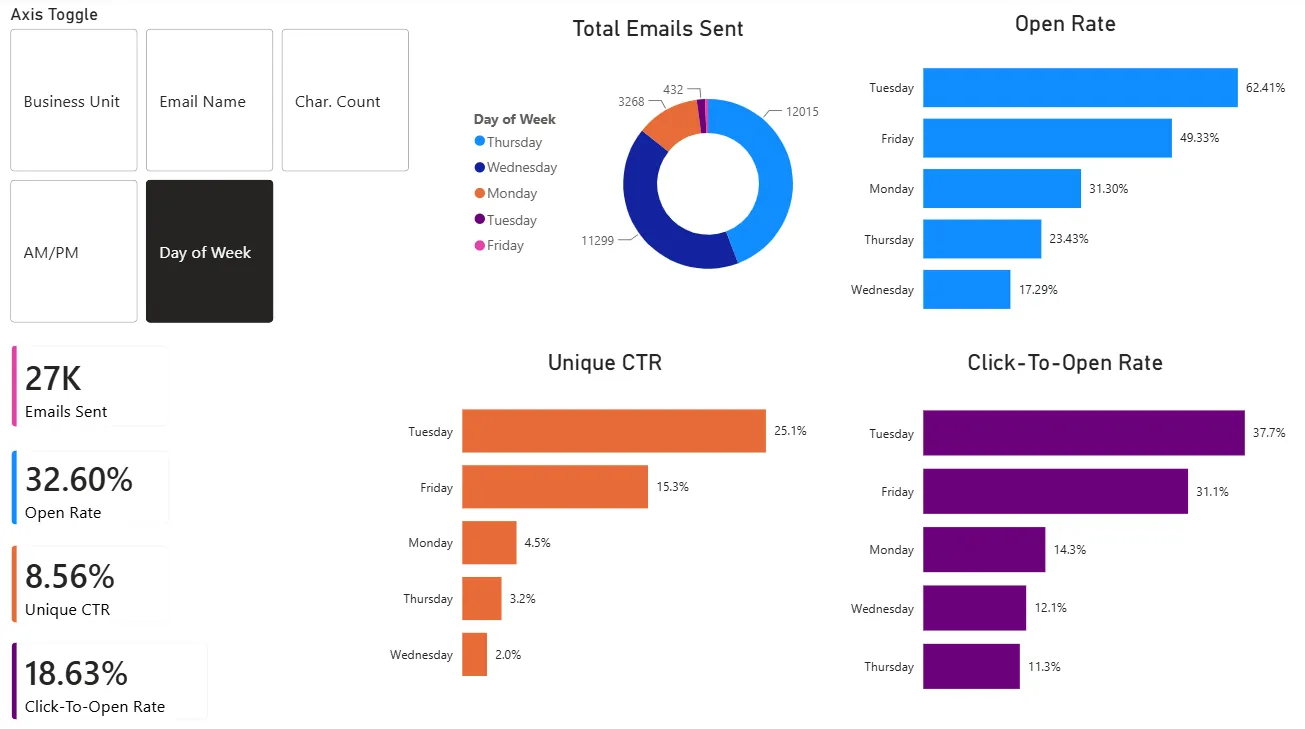
Dashboard 2: what made an email work? Here the toggle is set to day of the week.
The team can use this before the next event to choose subject lines, send times, and days that reach the most people.
Keeping hundreds of links from breaking
Marketing operations · Salesforce · Pardot
When Octave spun off from Hexagon, it was losing access to Bynder, the digital asset platform that held its product sheets, white papers, eBooks, and more. Every link that pointed to a file on Bynder was about to break, and there were hundreds of them spread across the company’s marketing. A customer who clicks a link and lands on a 404 page is a bad look, and a customer who might lose interest.
The marketing team had already made new Octave-branded versions of these assets on a different platform. My job was to connect the old links to them:
- Find every link. I searched emails and email templates, the blog, social media posts, and more, and traced where links lived in Salesforce and Pardot.
- Check what people still used. I looked at how many people were still clicking each link, to see where a broken link would do the most damage.
- Redirect each one from the old Hexagon asset to the matching new Octave asset.
None of it could be automated, so I checked and redirected every link by hand. It took most of the summer, and it means people who click an old link now reach current Octave content instead of an error.
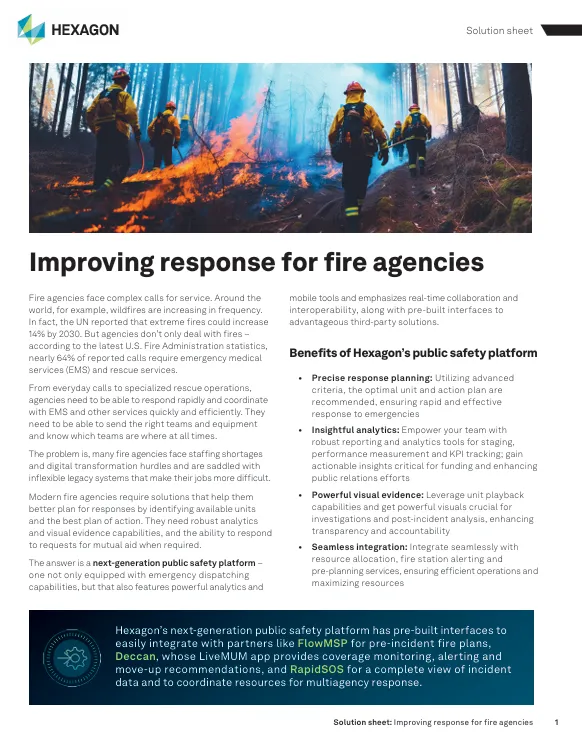

Before and after: the old Hexagon solution sheet hosted on Bynder (left), and the Octave version the link now opens (right).
146 certificates, built by code
Automation · Python
Octave sends every geospatial and physical security partner a certificate that recognizes its partner tier. Making well over a hundred by hand would have been slow and easy to get wrong, so I made them with Python tools I built in Google Colab, with help from Gemini, that read the partner spreadsheet, pick the right template for each tier, fill in the partner’s details, and package the whole batch.
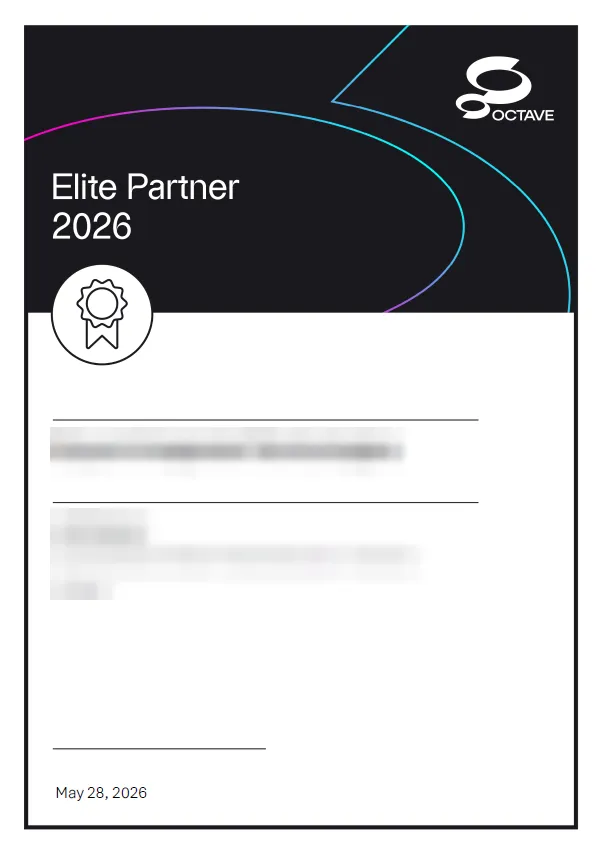
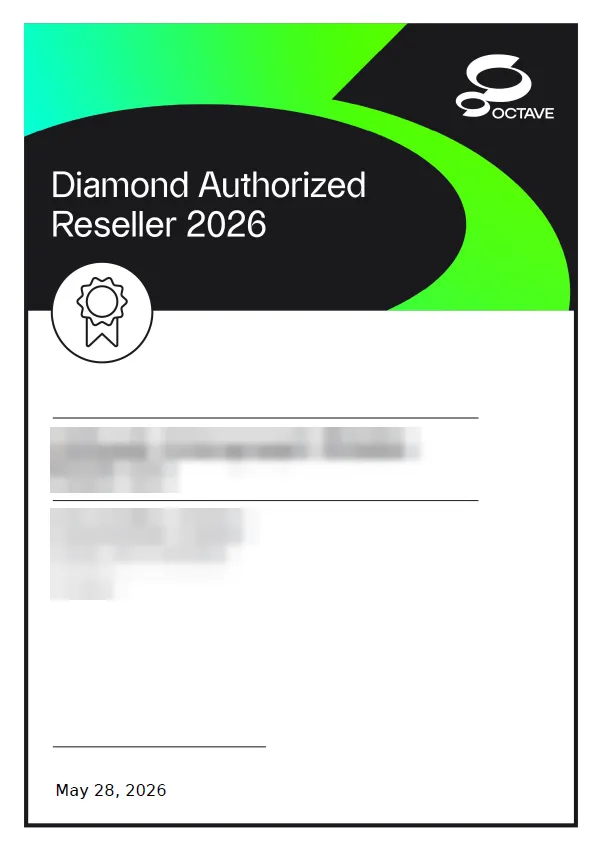
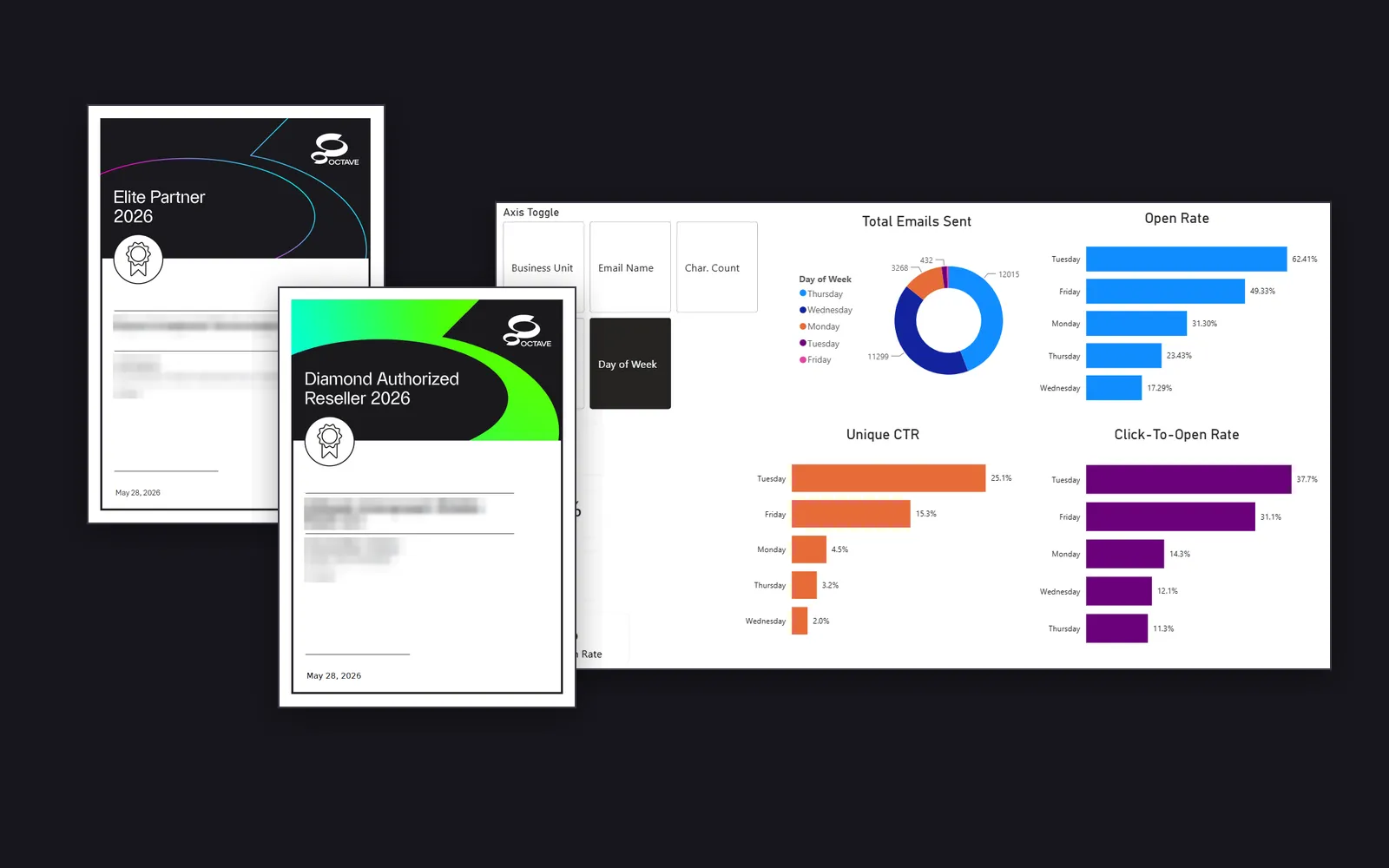
An Elite tier certificate from the physical security program (left) and a Diamond tier certificate from the geospatial reseller program (right). Partner and signer names are blurred here.
A few problems had to be solved along the way:
- Long company names pushed past the design, so the font now scales down step by step as a name gets longer.
- Placeholders Word split apart. Word sometimes stores a placeholder like “Account Name” in several pieces behind the scenes, so a plain find-and-replace missed it. The code edits the document’s underlying XML, with a fallback pattern that catches the split pieces.
- Messy rows. Rows missing a name or a valid tier are skipped, and file names are cleaned so every certificate saves correctly.
The result: 41 reseller certificates across four tiers, converted to PDF in one batch with LibreOffice, and 105 physical security certificates across three tiers, saved in a folder for each tier.
A product guide anyone can read
Content · Enablement
Octave sells a lot of software across geospatial, public safety, and physical security, and much of it is hard to understand from the outside. The Octave Product Starter Guide explains each product without the technical jargon: what it is, why it matters, real examples, and simple analogies. It works for someone who has never touched the software and for someone who is deeply technical.
Earlier interns started the guide when the company was still Hexagon. I picked it up and finished it:
- Rebranded it from Hexagon to Octave’s new dark style.
- Added the new products that were missing.
- Added examples, tightened the wording, and reformatted it throughout.
My manager now sends it to other departments so people can learn the products faster.
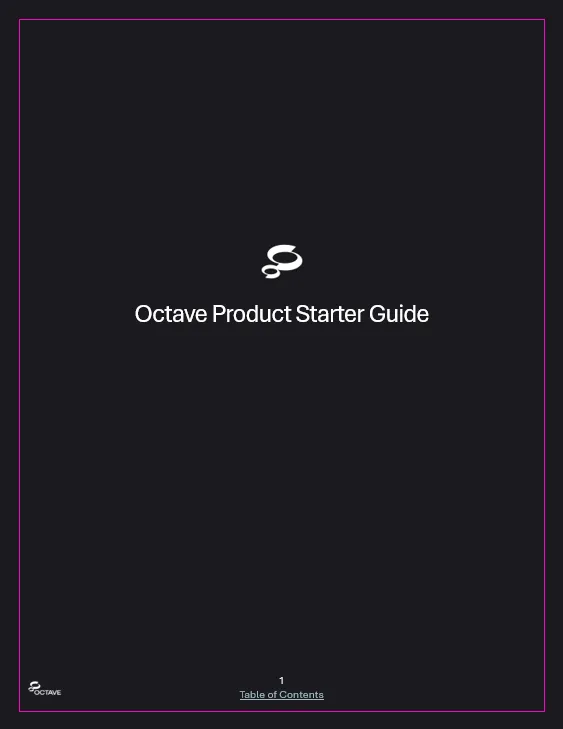
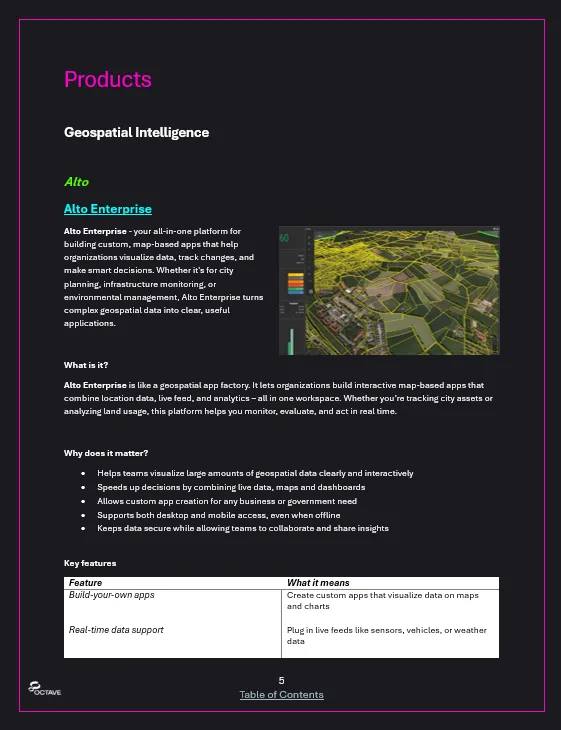
The finished guide in the new Octave style (left), and a product page covering what the product is, why it matters, and its key features (right).
Partner profiles on octave.com
Research · Web content
Octave’s website has a Partners page where each partner company appears with its logo and a short description of what it does. I wrote the descriptions for the physical security partners. For each one I researched the company, verified its official website, and wrote a short, consistent summary. Here is one, for a partner called Vector USA:
IT network infrastructure, managed IT services, cybersecurity protection, and structured cabling integration for commercial, education, and government sectors.
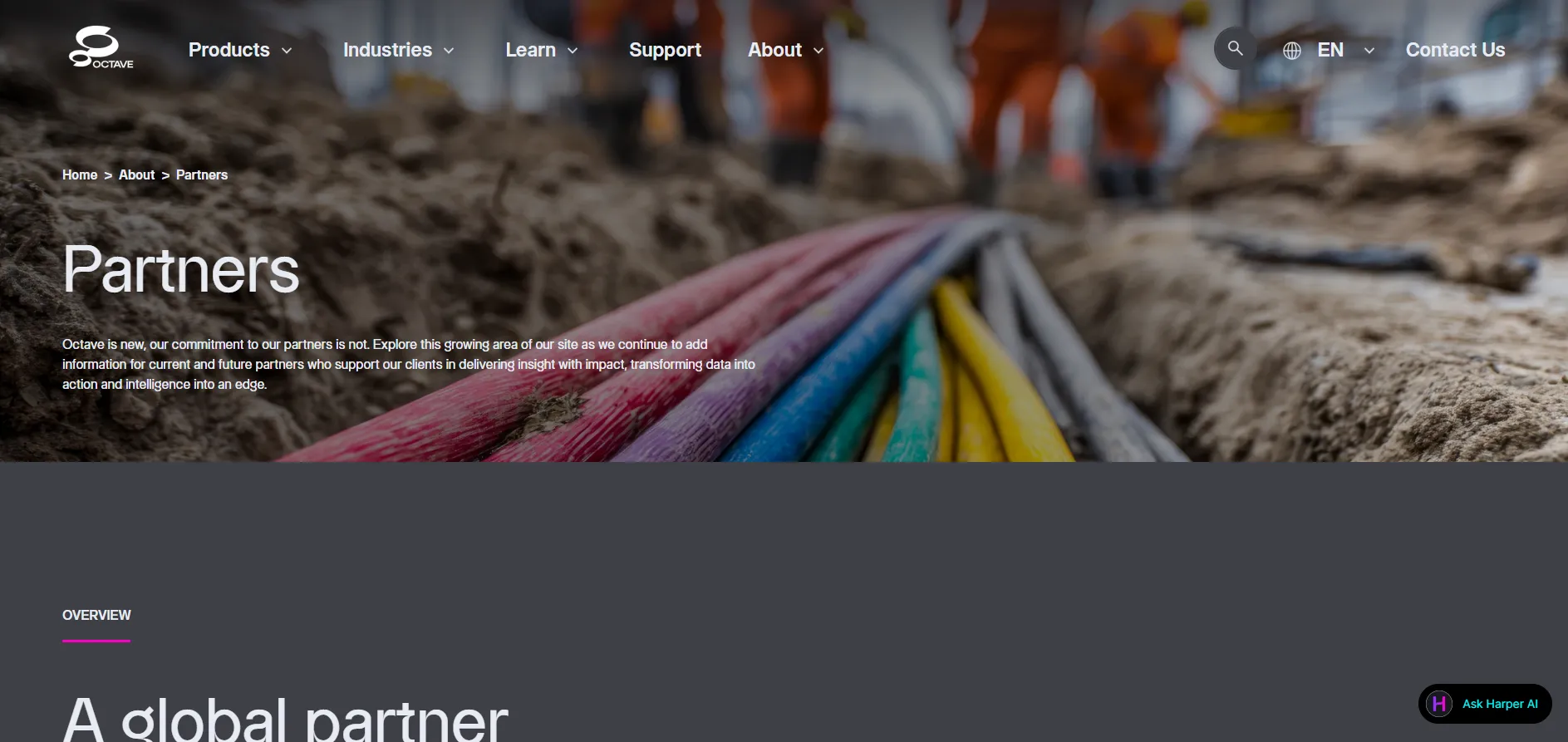
The Partners page on Octave’s website, where the descriptions appear.
The data cleaning behind the reports
Data preparation · Excel
Not every task is glamorous, but clean data is what makes the analysis above possible. I cleaned data for several projects:
- Live event attendee data
- LinkedIn follower data
- Salesforce and Demandbase lead data
- Email performance data
The biggest was a Salesforce contact export with every contact in the system: tens of thousands of rows where I filled in and standardized regions and countries. The work made me much faster at analyzing data in Excel.
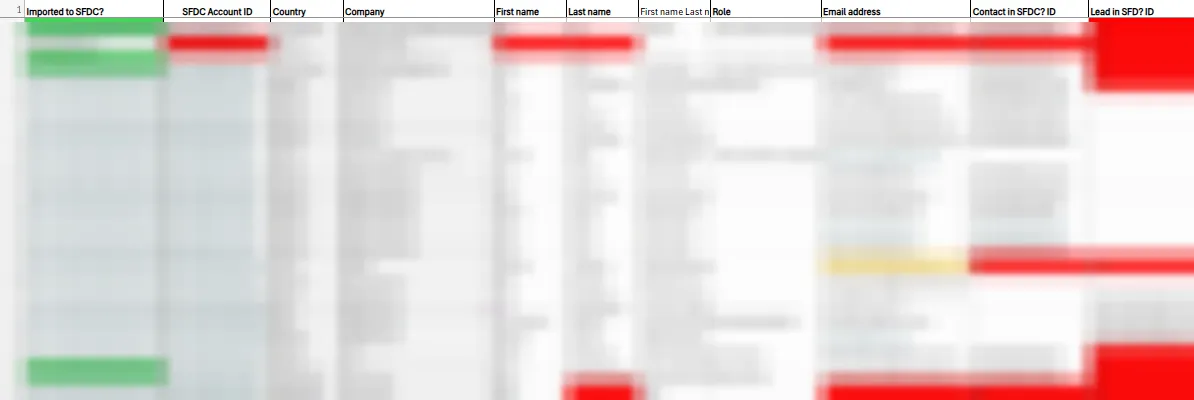
A lead sheet during cleanup. Contact details are blurred.
Tools and how I used them
Languages
- Python
- Certificate generation notebooks.
Analysis
- Excel
- Cleaned and standardized event, LinkedIn, lead, and contact data, including a contact export with tens of thousands of rows.
- pandas
- Read the partner spreadsheets and skipped incomplete rows.
Visualization and reporting
- Power BI
- Built both event dashboards, including a toggle that compares email results by business unit, email, subject line length, send time, and day of the week.
Automation
- python-docx
- Filled the Word certificate templates and adjusted font sizes.
- LibreOffice
- Converted finished certificates to PDF in batches, without opening Word.
AI used during development
- Gemini
- Helped write and debug the certificate code and research partner companies.
- Claude Code
- An everyday assistant across many different internship tasks.
Marketing
- Salesforce
- Found where old asset links were still in use and how often they were clicked; worked with lead and contact data.
- MCAE (Pardot)
- Found old links in marketing emails and email templates and replaced them with links to the new assets.
- Demandbase
- Lead data I cleaned for reporting.
Collaboration
- Google Colab
- Ran the certificate notebooks and packaged each batch for download.
- Microsoft Teams
- Worked with the marketing team remotely.
How AI fits in
AI that helped me build it
I used Gemini to help write and debug the certificate notebooks and to research partner companies. I also used Claude Code for a lot of different tasks throughout the internship, including help with the technical side of Salesforce and Pardot. None of the finished deliverables run AI.
Reflection
What I learned
- A dashboard is most useful when it answers the next question. Showing that email worked was step one; the toggles show which subject lines, send times, and days worked best.
- Not every job can be automated. The link redirects had to be checked one at a time, so being organized and thorough mattered more than speed.
- Design for the messy cases first. The certificate code only became reliable once it handled long names, blank rows, and quirks in how Word stores text.
- I work well remotely. Apart from school during COVID, this was my first time working remotely, and I learned to keep communication clear and steady online.